Stringing and blobs
Some failures don't ruin the part's strength — they ruin its surface. You lift a print off the bed and it's wrapped in fine hairs, or there's a little bump at the same spot on every layer running up one side, or the gaps between towers are bridged by a spider's web of plastic. These are the leak-and-drool defects: plastic escaping the nozzle when it shouldn't, or piling up when the nozzle pauses. They're mostly a machine story, but geometry and orientation decide how many chances the machine gets to misbehave, and that part is yours.
Why the nozzle drools
Inside a hot nozzle the plastic is molten and under pressure from the filament pushing behind it. Whenever the print head lifts and travels across open space — from one tower to another, from a wall to the next island — that molten plastic wants to keep flowing out under its own pressure and gravity. To stop it, the printer retracts: it pulls the filament back a few millimetres to relieve the pressure before the travel move. When retraction, temperature and travel are all in tune, the nozzle stays sealed across the gap. When they're not, it dribbles, and every dribble lands somewhere on your part.
Fine hairs and webs — stringing
Stringing is the classic: thin strands of plastic spanning the gaps the nozzle traveled across, worst between separate features with open air between them. It means plastic escaped during travel, and it has three usual causes, in rough order of how often they're the real one. First, wet filament — moisture flashing to steam builds pressure the nozzle spits out as fine hairs; if the print hisses, dry the spool before anything else. Second, temperature too high — hotter plastic is runnier and leaks more freely, so drop the nozzle 5–10 °C at a time until the strings stop. Third, too little retraction — increase the retraction distance and speed so the pressure is actually relieved before the head moves.
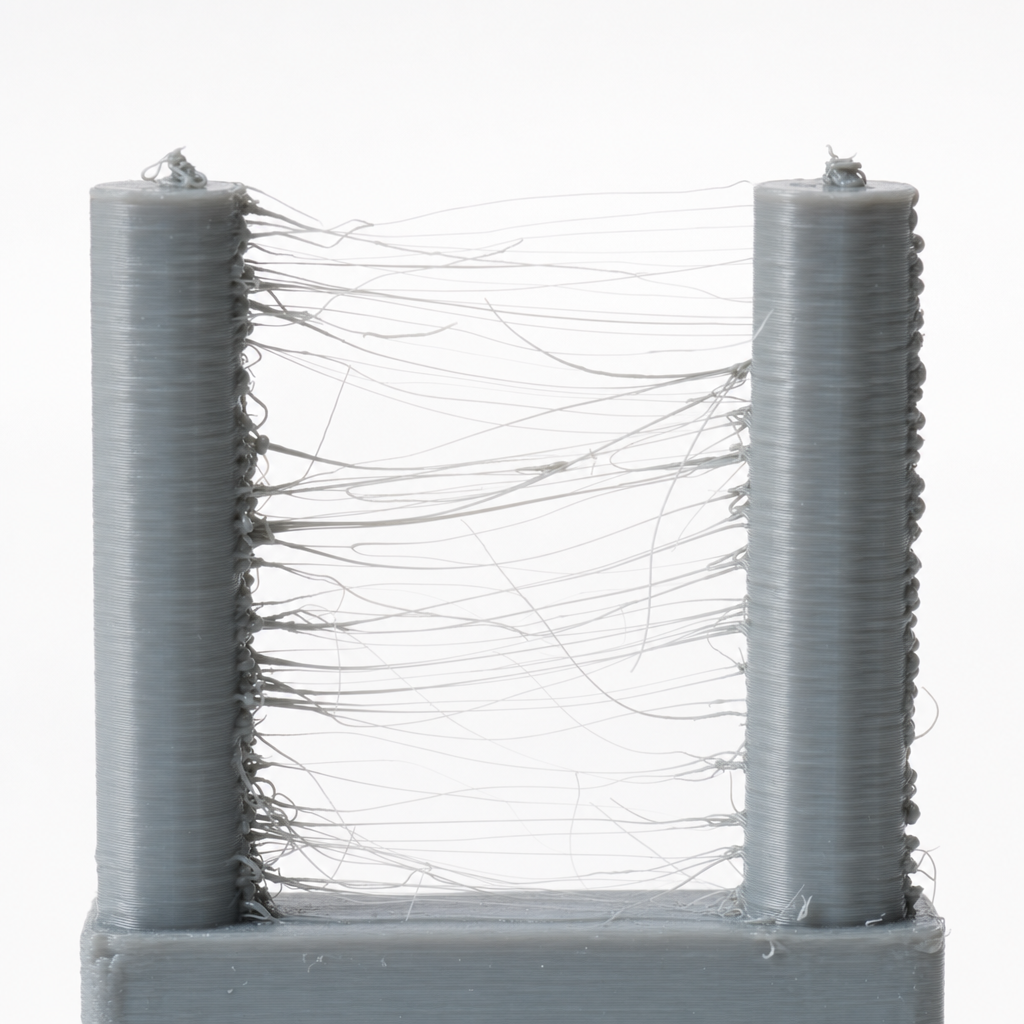
The design lever is quieter but real: stringing scales with travel over open air, so a part with many separate tall features strung across gaps gives the nozzle far more chances to drool than the same volume printed as one connected body. Where you can, orient the part or arrange a plate so the head travels over plastic rather than over voids, and be aware that a forest of thin pins is a stringing machine no matter how well you tune retraction.
| Step | Change | Why |
|---|---|---|
| 1 | Dry the filament | Moisture is the most common hidden cause |
| 2 | Lower nozzle temp 5–10 °C | Cooler plastic leaks less |
| 3 | Increase retraction distance/speed | Relieves nozzle pressure before travel |
| 4 | Enable combing / avoid crossing gaps | Fewer travels over open air |
| 5 | Reduce open-air travel in the layout | The design lever — less chance to drool |
Bumps and scars — blobs, zits and the seam
If instead of hairs you have small bumps or pits at a repeating point, the problem is where the nozzle starts and stops each perimeter. Every closed loop has to begin and end somewhere, and at that point a tiny pressure mismatch leaves either a blob (too much) or a pit (too little). Stack those start points above each other and you get a visible seam — a scar running up the part. This is normal FDM behaviour, not a break; the goal is to hide it, not eliminate it.
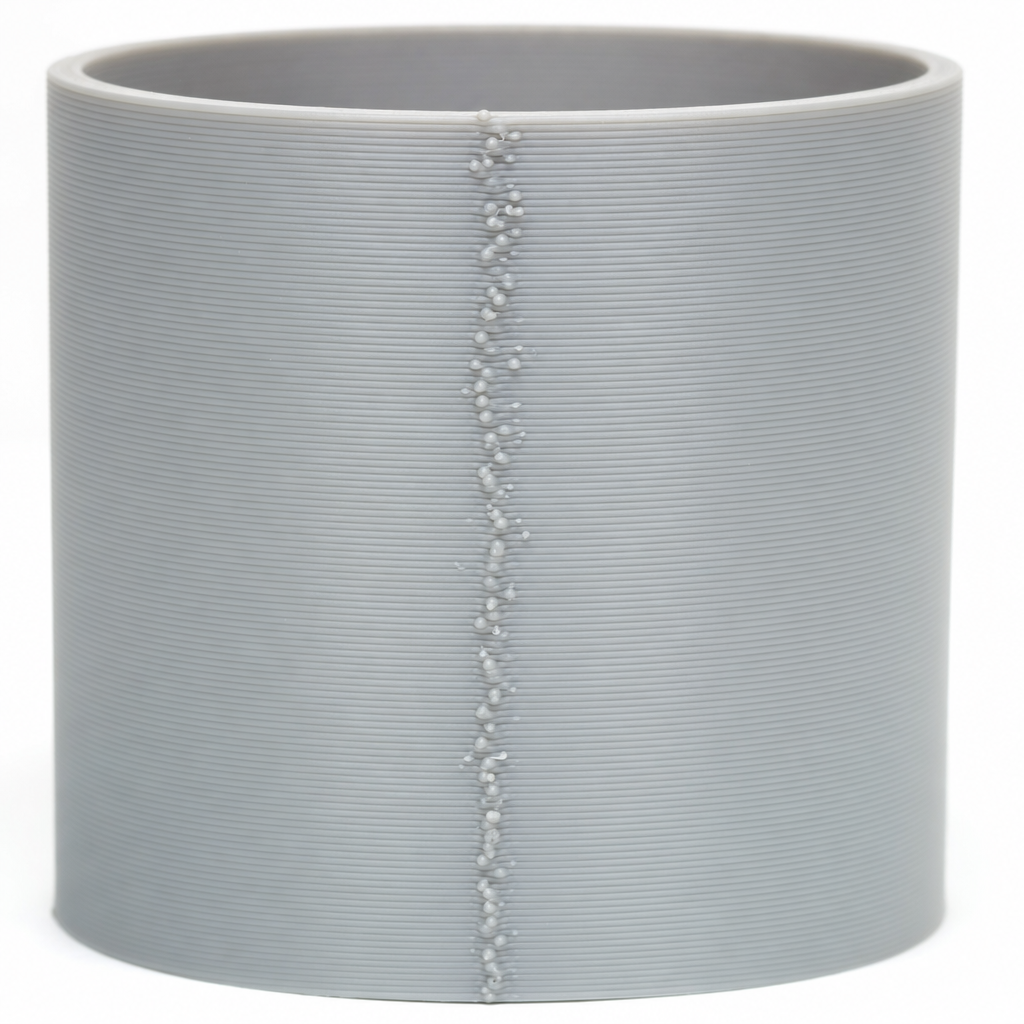
The machine side tunes it — pressure/linear advance smooths the pressure at each stop, and the slicer's coasting and wipe settings trim the leftover ooze — but placement is a design decision the slicer hands you. Tell the slicer to put the seam on an inside corner or a hidden face rather than letting it fall on a smooth show surface, and where the part has a natural edge, orient it so the seam lands there. A sharp corner hides a seam far better than a flat wall, so a model with crisp edges gives the slicer somewhere to tuck it.
Blobs of context, not of plastic
It's easy to chase stringing and blobs with endless retraction tweaks and miss that two of the biggest levers cost nothing in tuning. Dry plastic removes the single most common cause of hairs, and a model with clean edges and few open-air travels removes the chances for the rest. Tune retraction and temperature to stop the nozzle drooling, place the seam where nobody looks, and give the machine a geometry that doesn't ask it to leap across voids a hundred times a layer — and the surface comes off the bed clean.