Enclosures and multi-material
Two printers with identical motion and identical nozzles can disagree on whether a part is even printable, and the difference is often nothing but the air. Wrap a box around the machine and you change what plastics it can handle. Bolt a material-swapping system onto it and you change what a single part can be — not just its colour, but its structure. These two upgrades — the enclosure and multi-material — don't tune quality so much as unlock whole categories of part that are simply off the table without them. Whether you can attempt a given design starts here, before you draw anything.
Open vs enclosed: it's about the air
An open printer sits in the room and prints in whatever air is around it. An enclosed one traps a pocket of air inside a box, and that trapped air does one quiet, decisive thing: it stays warm and still. That matters because of how plastic behaves as it cools. Hot plastic laid onto cooler plastic shrinks as it sets, and shrinkage pulls — it curls corners up off the bed (warping) and, in tall parts, splits layers apart (cracking, or delamination). The higher the plastic's temperature, the more violent the shrink.
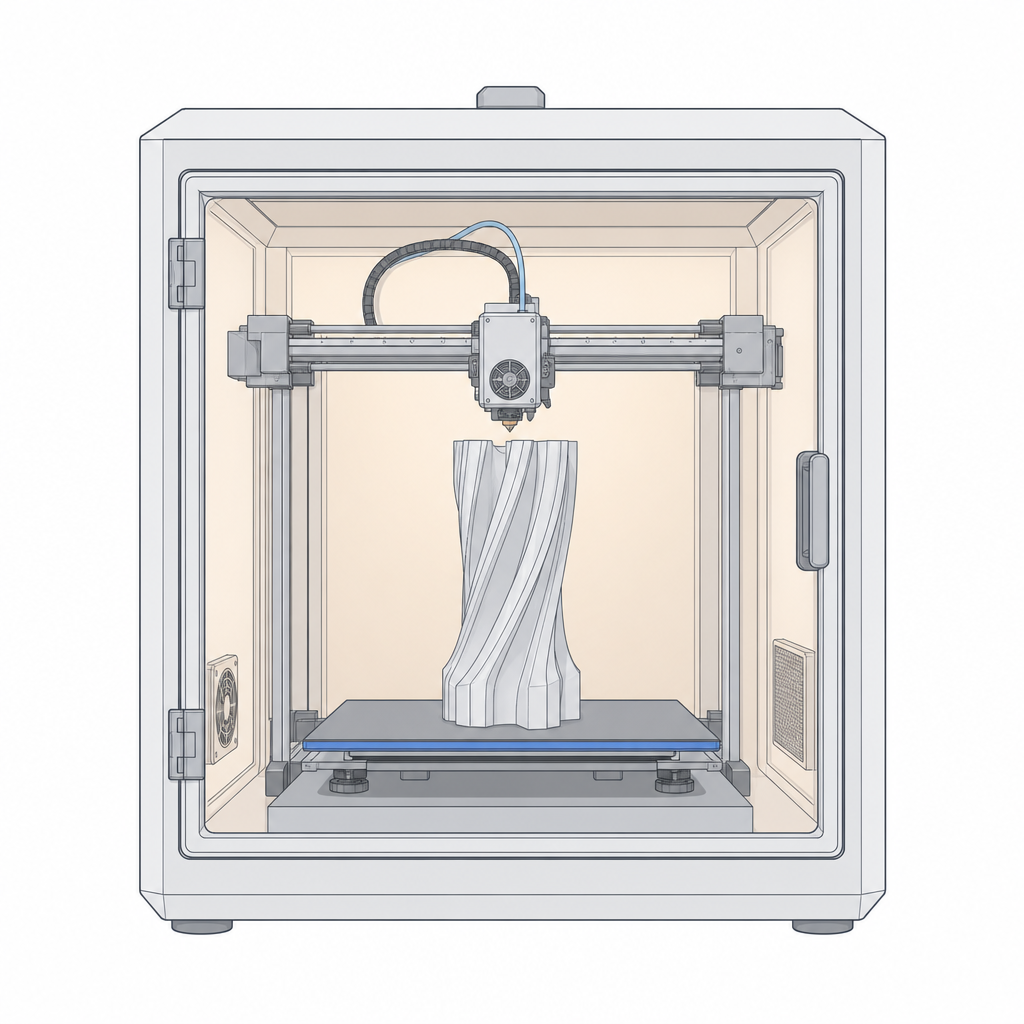
For high-temperature engineering plastics — ABS, ASA, polycarbonate — that shrinkage is fierce enough that in open air the part lifts, cracks, or peels apart before it finishes. An enclosure keeps the whole part bathed in warm, draught-free air so it cools slowly and evenly, and the stress never builds. It's not a nicety for these materials; it's the thing that makes them printable at all. The reverse is true at the cool end: PLA barely shrinks and actually likes plenty of cooling, so it's happiest in the open — seal PLA in a hot box and it can get soft and stringy. The enclosure isn't "better," it's matched to the material.
| Open chamber | Enclosed chamber | |
|---|---|---|
| Air around the part | Room temperature, moving | Warm, still |
| Suits | PLA, PETG (cool-running) | ABS, ASA, PC (high-temp) |
| Guards against | Overheating, PLA droop | Warping, layer cracking |
| The trade | Struggles with high-temp plastics | Can over-soften PLA |
Multi-material: more than one plastic in one part
A multi-material system — an automatic filament changer feeding one nozzle, or a machine with several extruders — lets a single print use more than one material. That buys you three genuinely different things:
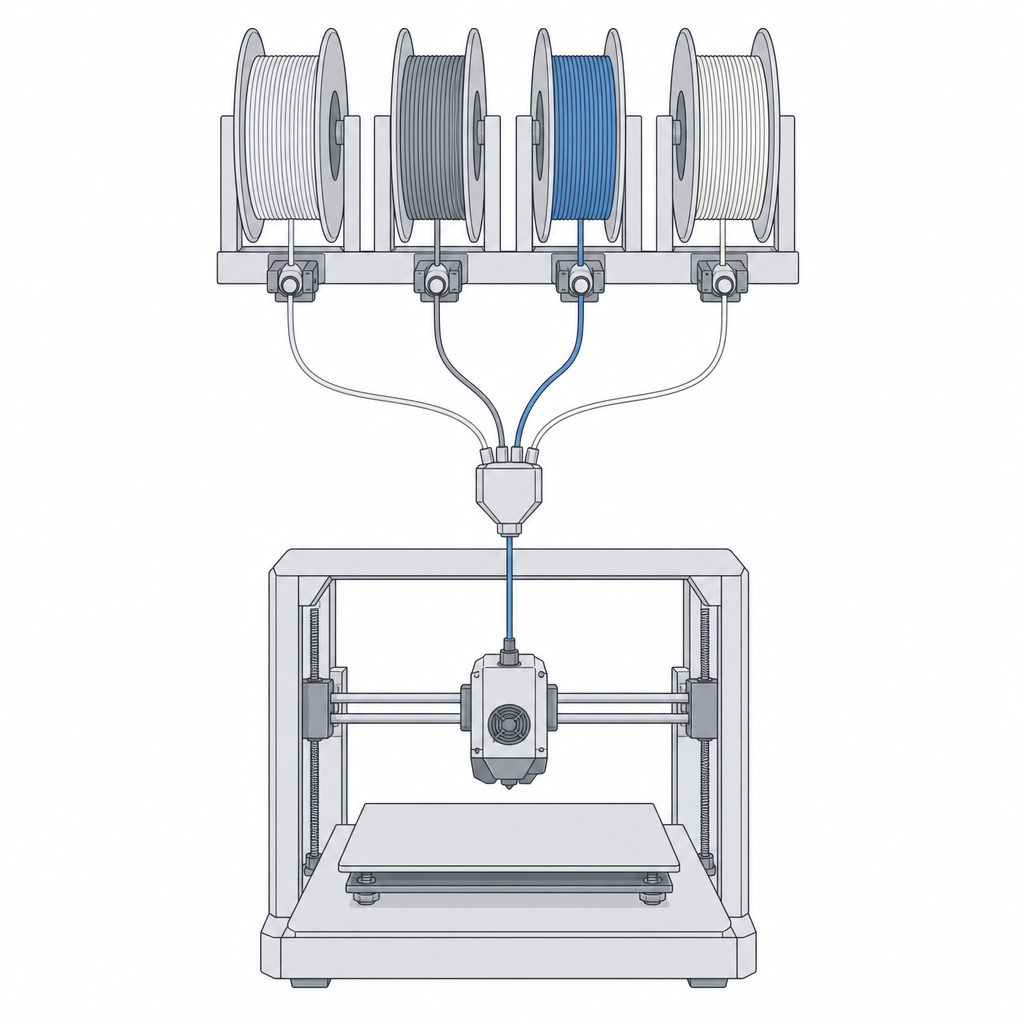
- Colour. The obvious one: multi-colour logos, labels, and parts you don't have to paint.
- Dissolvable support. Print your part in PLA or ABS and its supports in a soluble material — PVA dissolves in water, HIPS in D-limonene. You then wash the supports away instead of prying them off. This is a design unlock, not just a convenience: because soluble support can be washed out of places you could never reach with pliers, you can design fully enclosed internal cavities, captive channels and trapped moving parts that would be impossible to de-support by hand.
- Rigid plus flexible in one part. Combine a stiff plastic with a flexible one (like TPU) in the same print and you get a two-material part: a rigid bracket with a soft gasket printed into it, a hard case with a flexible hinge or grippy pad, all as one object with no assembly or glue.
What this decides in your model
The link back to Kapy is blunt: some designs you cannot even attempt without the right hardware. Model a part in ASA and hit print on an open machine and it'll warp off the bed — the material was never the problem, the chamber was. Design a mechanism with a support-locked internal cavity, or a single part that's rigid in one region and rubbery in another, and it's only printable if you have soluble support or multi-material to hand. So knowing your machine's chamber and material capabilities isn't a detail you sort out at print time; it's a boundary on what you're allowed to draw. When a design leans on a high-temp plastic, the material side of that choice lives in the Filaments and materials section, starting with Choosing a filament.
The machine's air and its materials set the outer limits. Inside those limits, it's the components doing the printing — the hot end, the extruder, the bed, the frame — that decide your part's actual quality, one at a time. That's where the anatomy of the machine comes in next.