The new Kapy Academy: more than 350 articles, two new topics and a search that answers
The Academy grows to more than 350 articles and 240 animations, with new topics on materials and on getting from file to part, and a search that answers questions.
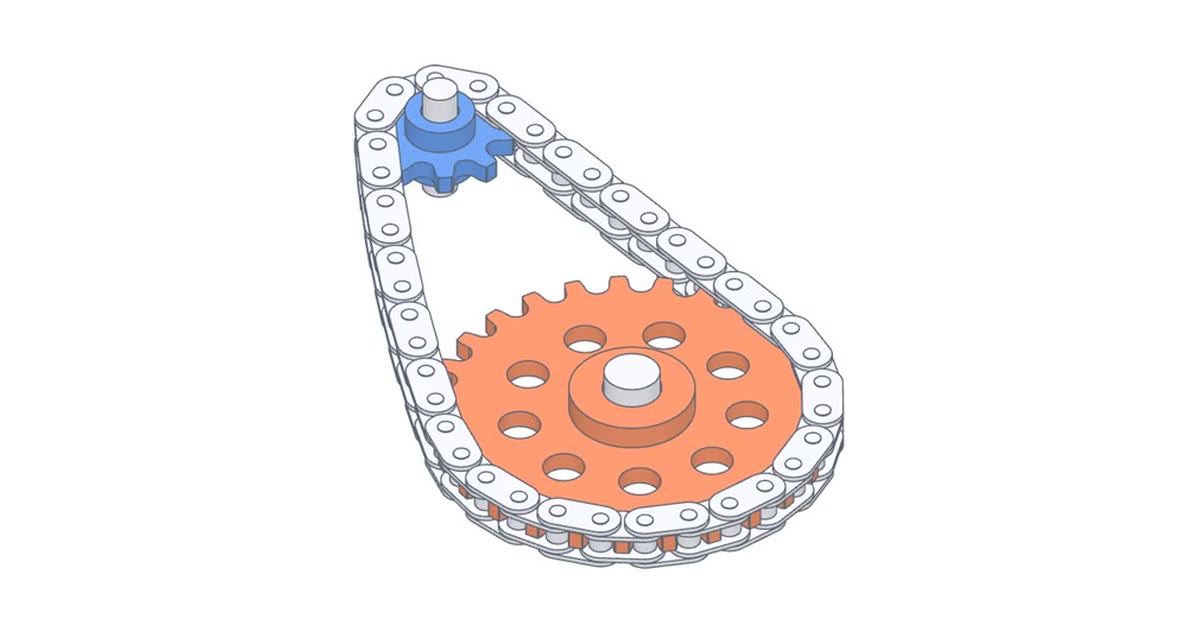
Kapy Academy has a lot more to read. There are now more than 350 articles across seven theory topics. They carry more than 240 looping animations that show how a mechanism moves or why a print fails. And there's a new search: ask a question in plain words and get an answer built from the articles.
It's all free to read.
Two new topics
Until now the Academy covered designing the part. What happens once you send it to the printer was missing.
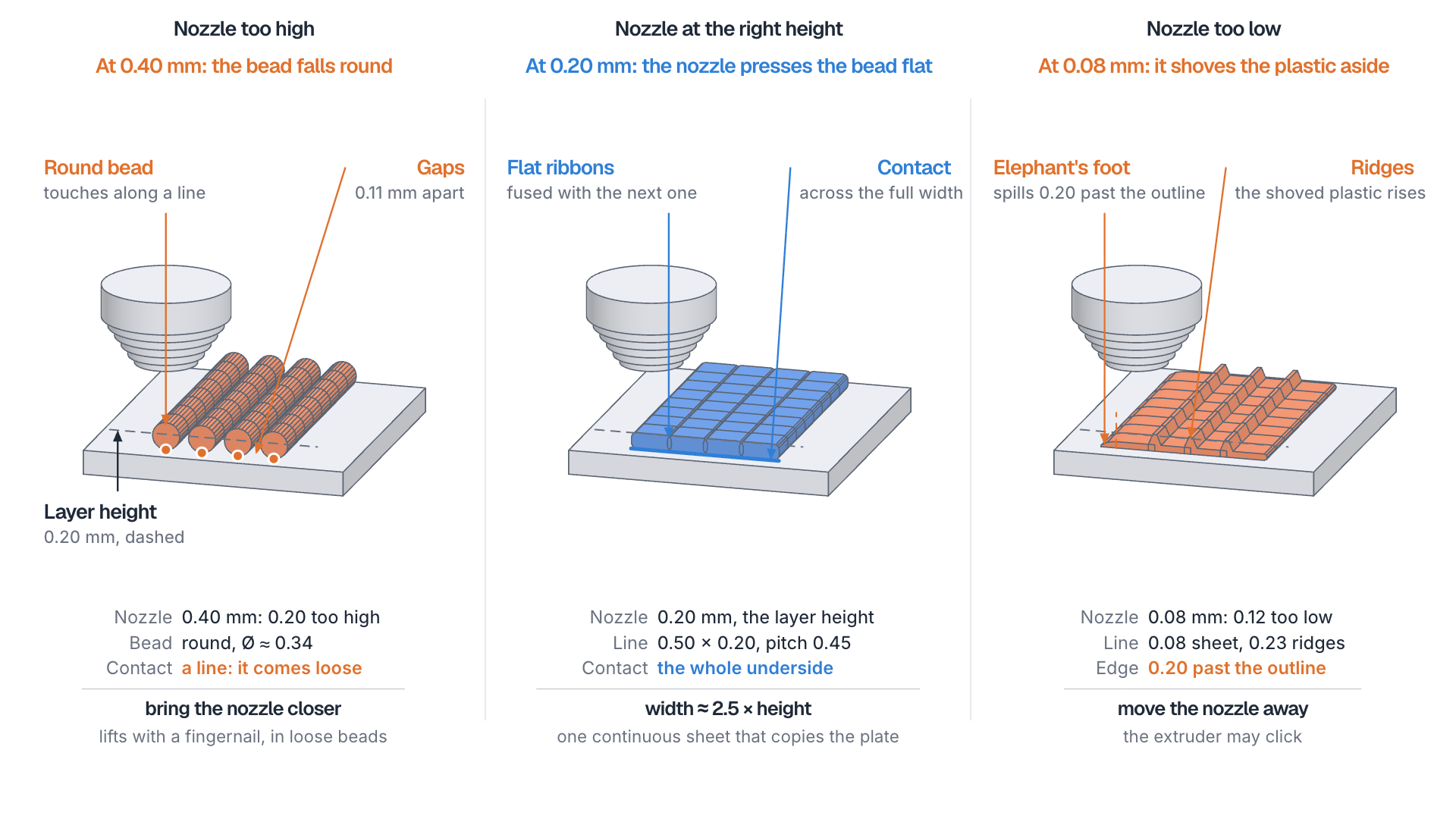
From file to part has 49 articles on the slicer and the print itself: the settings that decide how a part comes out, the first layer, color and multi-material, finishing, safety, and what to do when a print goes wrong. If you have a failed print on your desk, start with Reading a failed print. Where a defect shows up tells you when it happened and what caused it.
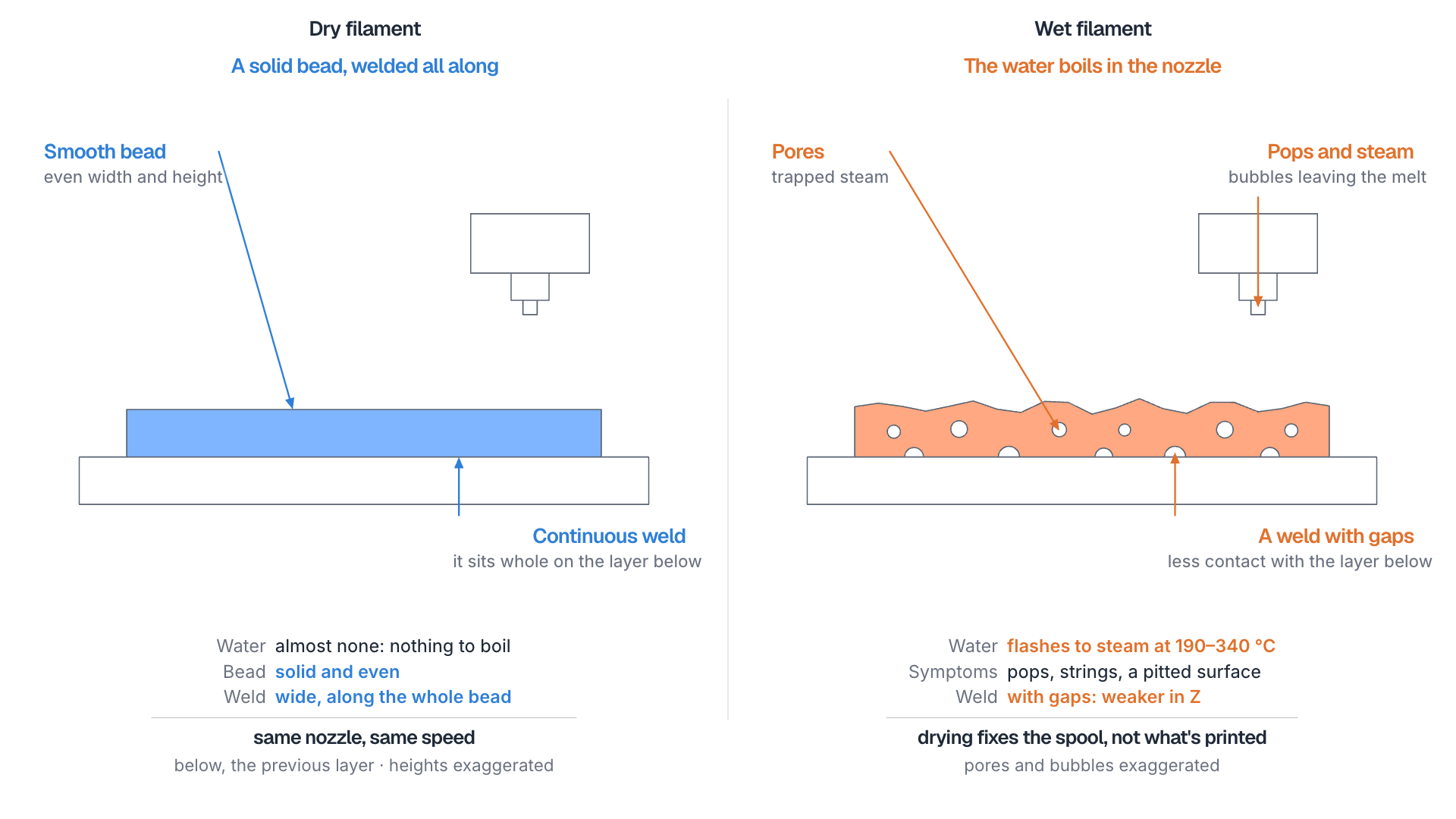
Materials has 24 articles to help you pick a filament for a reason. It covers the families from PLA to PEEK, carbon and glass fiber blends, how to read a datasheet, and what heat, creep and moisture do to your part.
The other five topics, filled out
| Topic | Articles now | Before |
|---|---|---|
| Designing for print | 25 | 30 |
| Joints & assemblies | 58 | 46 |
| Machines & motion | 99 | 70 |
| Designing to a standard | 66 | 39 |
| The 3D printer | 36 | 30 |
Some older articles were merged or renamed. Designing for print is shorter because it was rewritten so each subject lives in one place. Most of the articles are new.
Eight good places to start
- Why holes print small. A 5 mm hole tends to come out at 4.8, and tighter still next to the bed. The four causes, and how much to compensate.
- Press fits that do not crack. How much interference a pin needs, and why a longer boss holds better than a fatter pin.
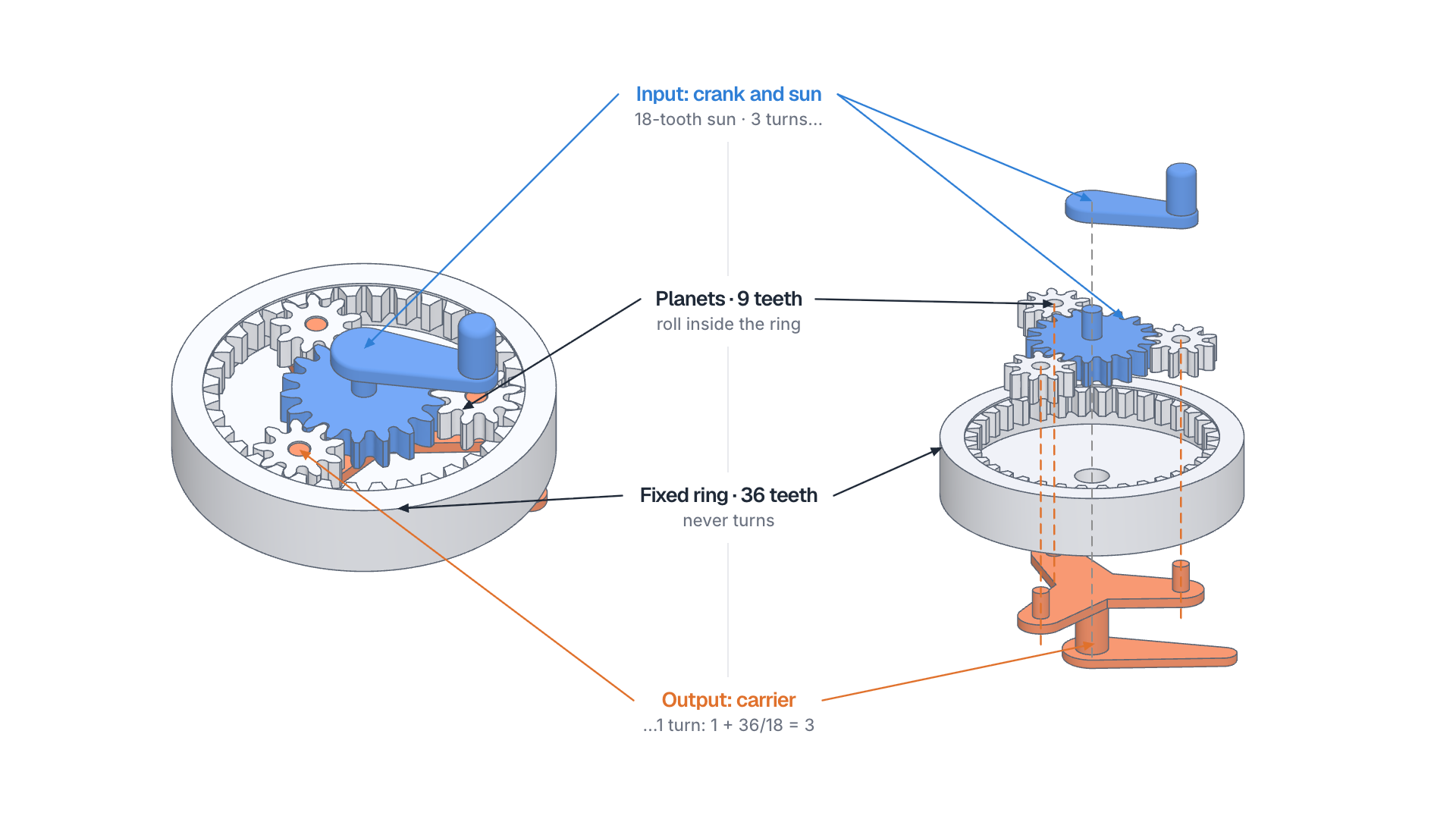
- Planetary reducers. Which member to hold, where the ratio comes from, and a worked 4:1 example for a NEMA 17 motor.
- Gridfinity: the 42 mm grid. The foot and socket dimensions, and why a bin that lands off-center still drops into place.
- Warping and lifting corners. Why a corner lets go hours after a perfect first layer, and what to change in the bed, the slicer and the design.
- Drying and storing filament. How to tell a spool is wet, what temperature and how long to dry it, and how to keep it dry afterwards.
- Printing for food contact. The label on the spool isn't enough. The four conditions that all have to hold.
- What to calibrate, and in what order. The tests that affect everything else go first, so you stop redoing them every weekend.
Ask in your own words
The search does more than match titles now. Type a question like "how much clearance for a printed 8 mm shaft?" and you get an answer written from the Academy's articles, with links to the sections it draws on and the animations that show it.
Written by
Sergio
Building Kapy CAD — parametric 3D modelling for 3D printing, in the browser.


