Introducing Workbench: your printer's real tolerances, built into the model
A calibrated part fits the first time. Workbench keeps your printers, nozzles, quality presets and filaments in one place, walks you through guided clearance and printability calibrations, and feeds those real numbers straight into the editor — so holes, fits and features are sized for the machine you'll actually print on.
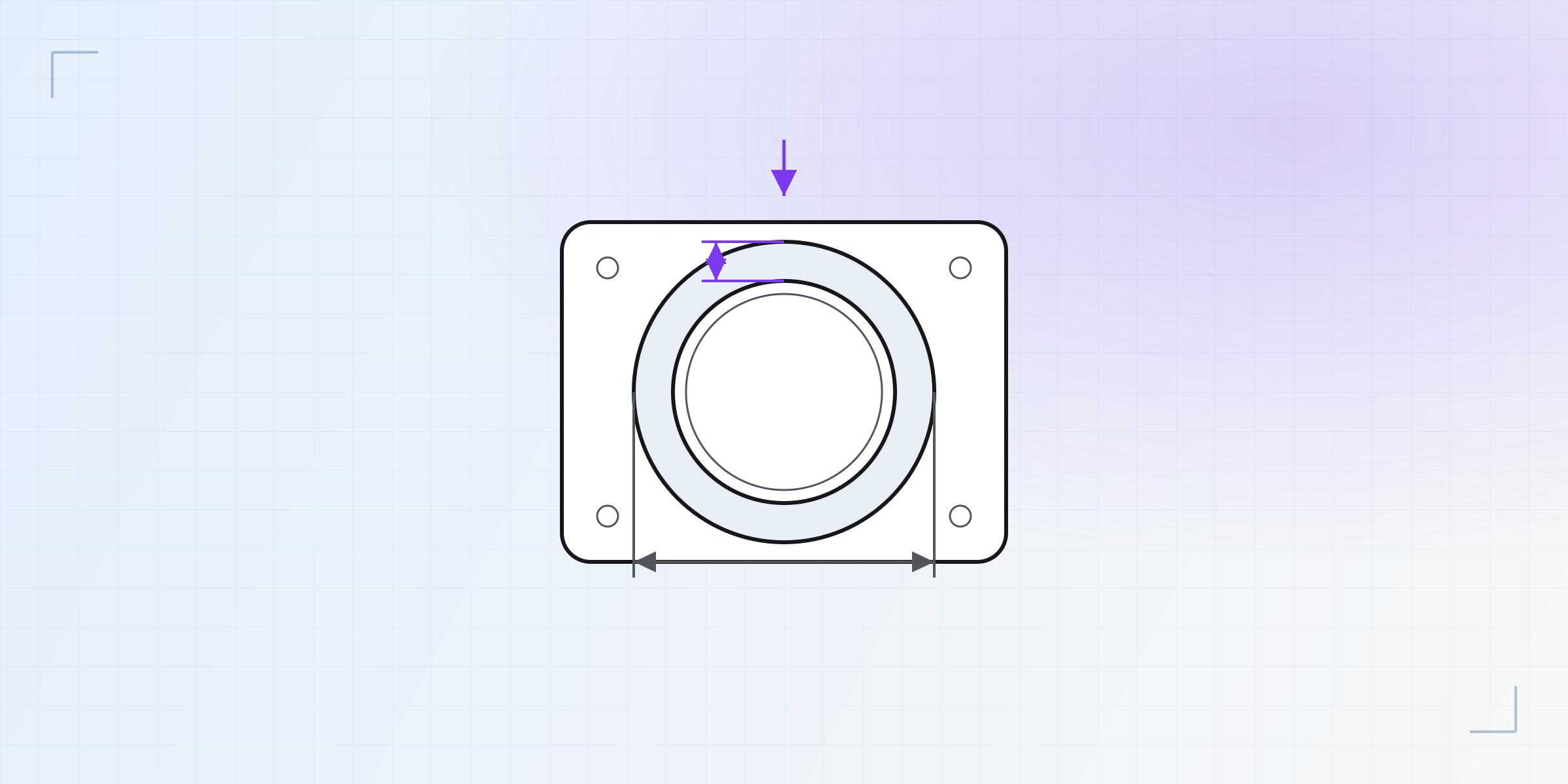
You can draw a perfect part and still print one that doesn't fit. The clearance that clicks together in PLA jams in PETG; the press-fit that's snug on your printer is loose on someone else's. That gap isn't in your model — it's in your machine and your material, and until now KapyCAD had no way to know what yours actually do.
Today it does. Workbench is your calibration home: the printers, nozzles, quality presets and filaments you own, the real tolerances you measure from them, and — the part we're most excited about — those tolerances flowing straight into the editor so your geometry is sized for the machine on your desk.
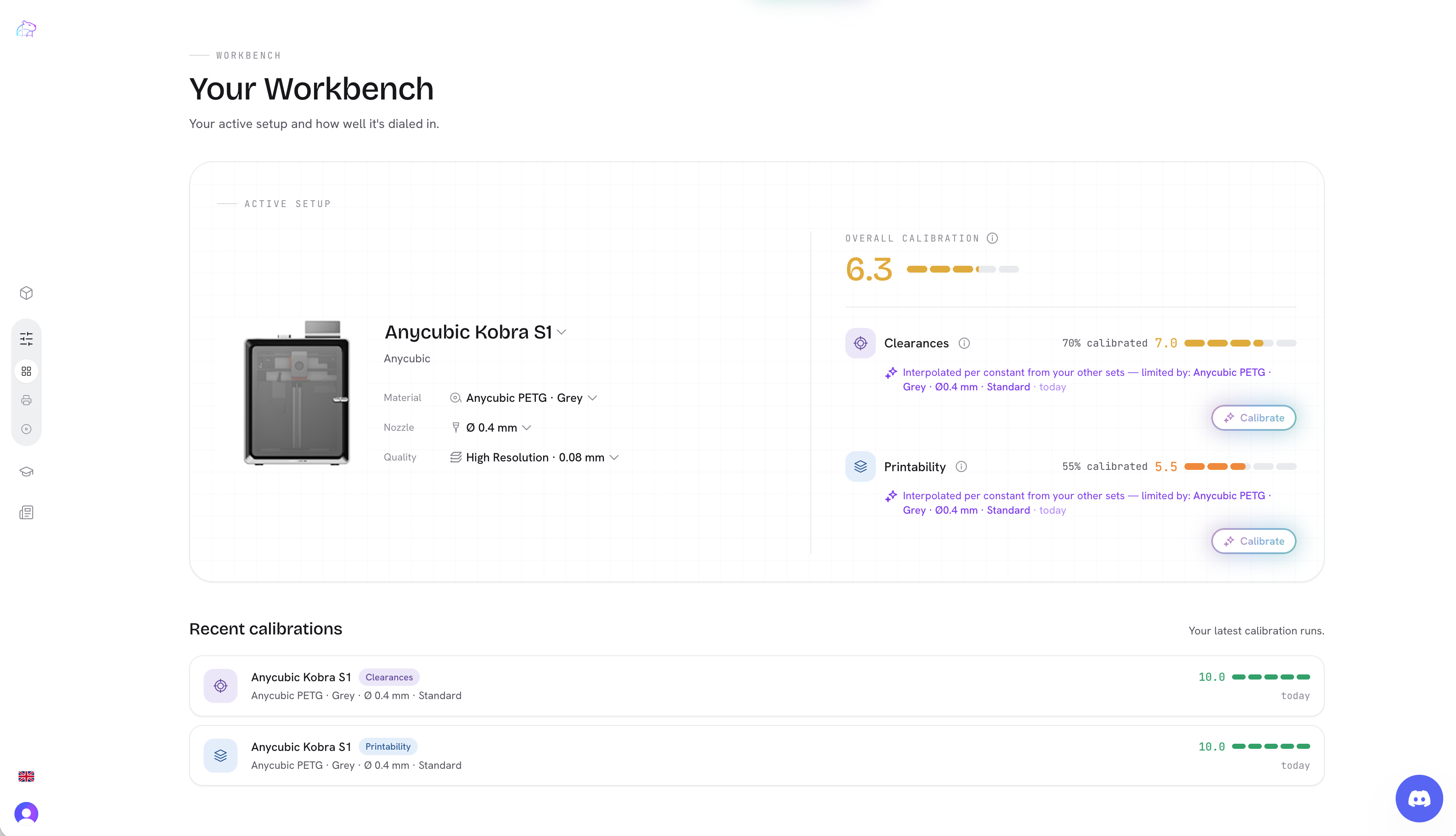
One place for your machine
Add your printers (each with its nozzles and quality presets) and your filaments, and pick an active setup — the printer, nozzle, quality and material you're designing for right now. Everything downstream keys off that setup, and every calibration you record is filed against the exact combination it was measured on.
Calibrate by printing, not guessing
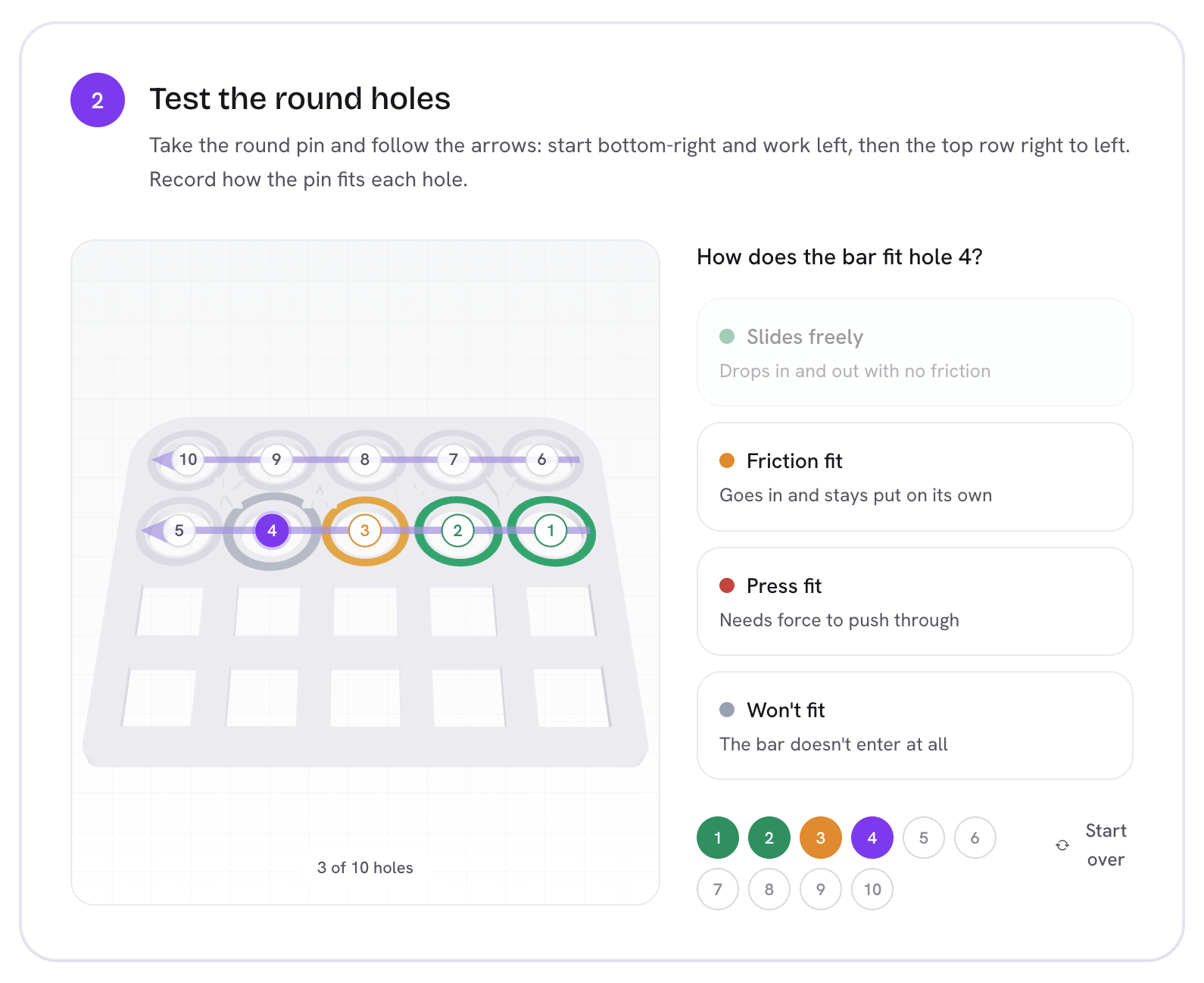
A datasheet can't tell you the clearance that slides freely on your printer. A test print can. Workbench ships with two guided calibrations:
- Clearances — print one small coupon of graded holes and bars, mark which ones slide, grip or press by hand, and Workbench reads off your real per-fit tolerances: the gap a free fit needs, a friction fit, a press fit — for round and square holes and flat and on-edge bars.
- Printability — a five-bank coupon of bridges, overhangs, thin walls, slots and pins. Print it once, mark which features came out clean, and you get your machine's limits: max bridge span, max overhang angle, min wall, min gap, min detail.
Each coupon is real, printable geometry generated from the same engine as your parts — what you grade is exactly what you printed.
The numbers follow you into the editor
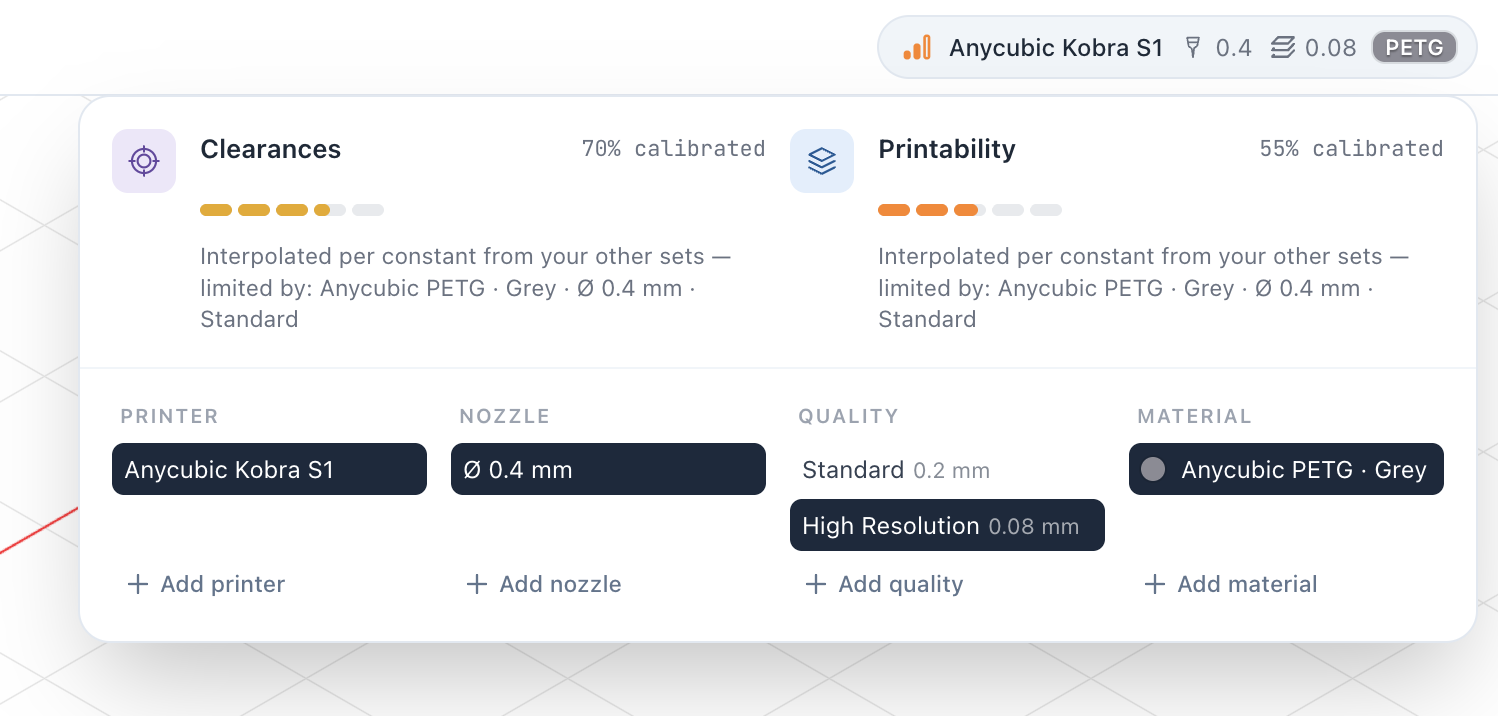
Here's where it pays off. Your active setup now lives in the editor's top bar, with a calibration read-out for the current printer, material, nozzle and quality. Open it and you can switch setup for the session — the calibration summary updates live — without changing what's saved.
And the calibrated constants are no longer a panel you tweak by hand: they're derived from the set you picked and drive the geometry directly. Design a hole for a "friction fit" and it's sized with your friction number. No set yet? You get sensible market-standard defaults, so nothing blocks you — and the moment you calibrate, your parts tighten up to reality.
Try it
Workbench is live now, free during the beta. Add a printer and a filament, print a coupon, and let your own hardware size your next part. Head to Workbench from the sidebar to get started.
This is the foundation for what's next — a print-prep studio with orientation, wall-thickness and stress checks, and an integrated slicer, all keyed to the setup you just calibrated. More soon.
Written by
Sergio
Building Kapy CAD — parametric 3D modelling for 3D printing, in the browser.


