
Everything you need to design for 3D printing.Without the Fusion learning curve.
KapyCAD is a fully parametric CAD built for makers, not mechanical engineers. Real sketches, constraints and reusable parts — with a learning curve measured in hours, not weeks.
- Runs in your browser
- Free plan, no card
- Built around printable parts
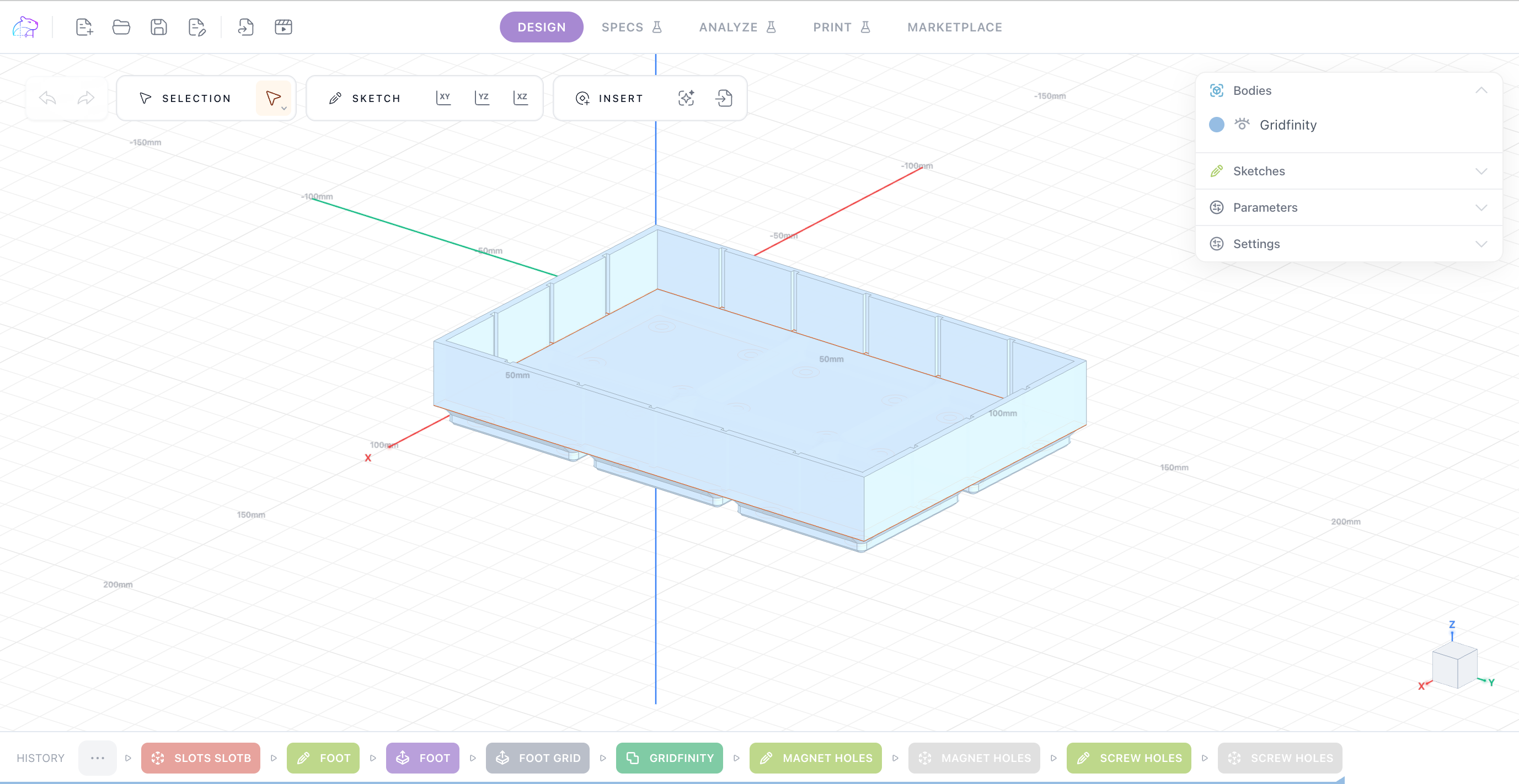
Forty seconds inside the editor
Sketch a profile, constrain it, give it thickness, print it. The same loop you'll use for every part.
Fusion 360 is powerful. Getting comfortable in it takes weeks.
Fusion is a serious tool with a serious feature set, and if you already know it, keep using it. But if what you want is a bracket that fits your shelf, the first evening tends to end in tutorials rather than in a finished part: an installer, an account, workspaces to learn, and an interface designed around a full engineering suite. KapyCAD starts from the other end — the part you're going to print.
- Open a browser tab and model. No install, no licence manager.
- An interface scaled to the task, not to a full engineering suite.
- Designed around printable parts from the first click.
A real feature tree, not a box of primitives
Sketches are solved by a genuine constraint solver, and models are built from a feature tree you can go back and edit. Change a dimension and the part rebuilds — which is the whole point of parametric CAD, and the first thing beginner-friendly tools tend to drop.
- Constraint-solved sketches
- Extrude, revolve, sweep, loft
- Fillet, chamfer, shell
- Booleans and patterns
- Named parameters with expressions
- Reusable Smart Objects: holes, heat-set inserts, magnet pockets, snap joints
It knows what you're printing on
Your printers, nozzles, quality presets and filaments live in the Workbench. Guided print-and-measure calibrations turn them into real clearances, so holes and fits are sized for the machine you'll actually print on instead of a generic guess.
- Printers, nozzles, qualities and materials in one place
- Guided clearance and printability calibration
- Your calibrated tolerances drive the geometry
- STL export, ready for your slicer
Guided tutorials, built into the product
The Academy walks you through the editor one step at a time, each step with a short clip of the real interface. You learn the tool by making something with it, not by watching a course first.
- Step-by-step guided tutorials
- Short clips of the real editor
- Reference articles on printing parts that fit, joints, and printers & materials
Design your first printable part today
Free plan, no card. Open the editor in your browser and start with a guided tutorial.