How we solve your sketches: the 2D constraint solver
What a constraint solver is, and how it turns "these sides are equal" into geometry that adjusts itself.
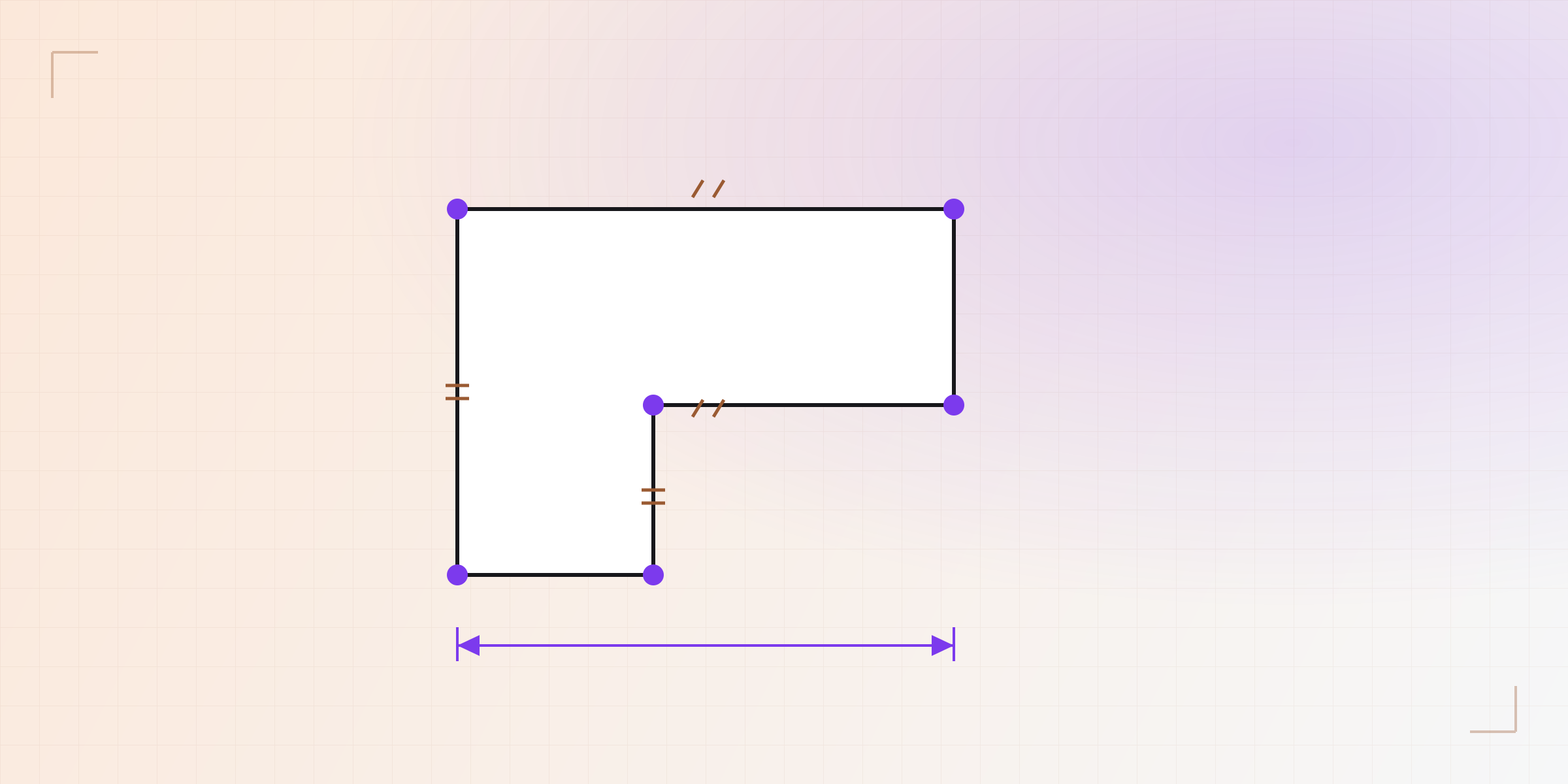
When you draw a sketch in KapyCAD and drag a point, the rest of the shape rearranges itself to keep obeying your rules. It's not magic: it's a constraint solver at work underneath. Let's open the box.
Drawing isn't defining
A freshly drawn sketch is a handful of points and lines floating around. You've traced something that looks like a rectangle, but nothing stops a side from tilting or a corner from drifting off. To the computer, that shape isn't defined yet: it's free to move.
Defining the sketch means giving it rules. That's where constraints come in.
Constraints: the sketch's rules
A constraint is a relationship the geometry must satisfy. There are two kinds: geometric (no numbers) and dimensional (with a measurement).
| Constraint | What it enforces |
|---|---|
| Coincident | Two points sit at the same place |
| Horizontal / Vertical | A line aligns with an axis |
| Parallel / Perpendicular | Two lines hold that angle to each other |
| Equal | Two segments (or radii) have the same size |
| Tangent | A line and an arc touch without crossing |
| Dimension | A distance or angle equals a specific number |
Degrees of freedom
The way to measure how much a sketch "can move" is degrees of freedom (DOF). Each loose point adds freedom; each constraint removes it. The goal is usually to reach zero degrees of freedom: the sketch is fully defined and only one solution exists.
- Too few constraints → the sketch "wobbles" when you drag (under-defined).
- Zero DOF → fully defined, stable and predictable.
- Too many, in conflict → over-defined; the solver warns you.
The solver in action
The engine doing that work is planegcs, and it lives in its own worker
(separate from the 3D geometry kernel, as we covered in the architecture post).
You hand it the geometry and the list of constraints; it moves the points until
all of them hold at once and returns the solved sketch.
Why constraining well pays off
A well-constrained sketch is what makes the model truly parametric. When everything is defined by rules and named dimensions, changing one measurement rebuilds the part predictably, with nothing slipping out of place. A half-defined sketch, by contrast, can jump to a shape you didn't intend the moment you touch a parameter.
In the next post: what happens to references to faces and edges when that regeneration rebuilds the entire solid.
Written by
Sergio
Building Kapy CAD — parametric 3D modelling for 3D printing, in the browser.


